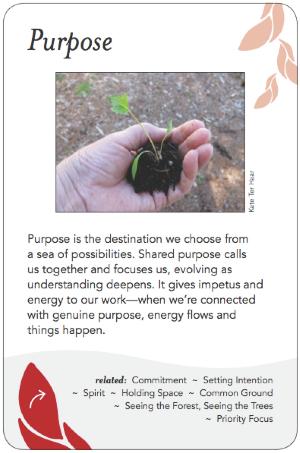
Why is it that some meetings bring life to your soul, while others leave you wishing you'd never stepped in the room? What happens at the best ones, that makes them productive, fulfilling, sometimes even magic?
The Group Works deck of 100 full-colour cards (91 patterns + 9 category cards) names what skilled facilitators and other participants do to make things work. The content is more specific than values and less specific than tips and techniques, cutting across existing methodologies with a designer's eye to capture the patterns that repeat. The deck can be used to plan sesssions, reflect on and debrief them, provide guidance, and share responsibility for making the process go well. It has the potential to provide a common reference point for practitioners, and serve as a framework and learning tool for those studying the field.
The cards were created by more than fifty volunteers (the Group Pattern Language Project) from diverse organizational backgrounds who collaborated over three years to express the core wisdom at the heart of successful group sessions. The cards are accompanied by a 5-panel explanatory legend card and a booklet describing the deck's purpose, story, and ideas for suggested activities.
- Find out more about the deck.
- BUY A COPY of the deck, or download a free PDF copy.
- Donate to the project, to help us develop additional tools to help facilitators and group process workers.
- Join our mailing list to keep up to date on what's happening on the project (see form in sidebar).
- Learn other ways to participate and get involved.
- Contact us.